
WooCommerce Product Image SEO: Why Alt Text Is Your Biggest Untapped Traffic Source

WooCommerce Product Image SEO: Why Alt Text Is Your Biggest Untapped Traffic Source
If you run a WooCommerce store, you already know that product pages are the heart of your business. You have spent real time on product titles, descriptions, schema markup, and internal linking. You have probably even optimized your category pages and written helpful buying guides.
But there is one area where almost every WooCommerce store owner leaves significant search traffic on the table, and it is sitting right inside the WordPress Media Library: product image alt text.
This is not a minor technical detail. For WooCommerce stores that sell physical products, Google Image Search and Google Shopping are often among the top five traffic sources. Every product image without a descriptive alt text tag is an image that Google cannot read, cannot index properly, and cannot surface to shoppers who are actively searching for what you sell.
This guide explains exactly why product image alt text matters for WooCommerce SEO, what it should look like, and how you can fix hundreds or thousands of missing alt texts in a single afternoon using AI.
Why WooCommerce Product Image Alt Text Affects Rankings
Google’s crawlers cannot see images the way a human can. When a crawler visits your product page, it reads the surrounding text, the page title, the schema markup, and the HTML attributes attached to each image. The alt attribute is the primary signal telling Google what a product image actually shows.
When that attribute is empty, Google has no context for the image. It may still index the image based on the surrounding text, but it cannot match the image confidently to search queries. That means your product photos may never appear in Google Image Search for the terms your buyers are actually using.
There is also a second, less obvious impact. Google’s product ranking algorithm for Google Shopping pulls signals from your entire product page. Well-written alt text that includes relevant product attributes (color, material, size, model name) reinforces the overall topical relevance of the page. It is one more signal confirming that your page is genuinely about what the searcher is looking for.
For WooCommerce stores in competitive niches, those reinforcement signals add up. The difference between a product page that ranks on page one and one that sits on page three is often a collection of small optimizations, each contributing a marginal lift. Alt text is one of those optimizations, and it is almost entirely ignored by the average store owner.
The Scale Problem: Why Manual Alt Text Does Not Work for WooCommerce
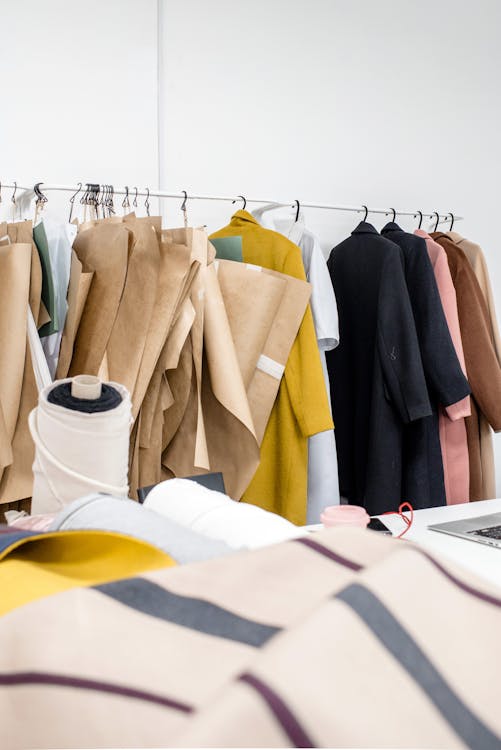
A typical WooCommerce product has between two and six product images: a hero shot, detail shots, lifestyle shots, and sometimes a shot of the packaging or dimensions. A store with 200 products might have 800 to 1,200 images in the Media Library.
Writing good alt text for each of those images manually is not a realistic option. It is not just the time involved, though that alone is prohibitive. It is also the quality consistency. When you write alt text for hundreds of images over multiple sessions, the quality drifts. Early images get careful, descriptive text. Later images get whatever you can manage at the end of a long session.
For stores that are actively adding inventory, the problem compounds. Every new product upload adds more images to the backlog. If your workflow does not include alt text generation at the point of upload, you are continuously falling further behind.
This is why so many WooCommerce stores end up in the same situation: a large library of unoptimized product images, a vague awareness that this is a problem, and no practical path to fixing it without disrupting the rest of the business.
What Good Product Image Alt Text Looks Like
Before getting into how to automate alt text generation, it helps to understand what the output should actually look like. Good product image alt text does three things:
It describes the image accurately. The primary purpose of alt text is accessibility. Screen readers use it to describe images to visitors with visual impairments. That means the description needs to be accurate to what is actually shown in the image, not a generic keyword stuffed phrase.
It includes relevant product attributes. For a product image, a description like “blue ceramic mug with handle” is more useful than “coffee cup.” The color, material, and key product feature are all there. Those are also the kinds of descriptors that match what shoppers type into Google.
It stays under 125 characters. There is a practical character limit above which alt text starts to lose its SEO value and becomes harder for screen readers to work with naturally. The sweet spot is under 125 characters. That is enough space to be descriptive without becoming a wall of text.
The challenge is hitting all three of those marks consistently across a large product catalog. An AI model that can analyze the image directly and generate alt text from what it actually sees is naturally better at this than a human working from a filename or a vague memory of the product.
How AI Alt Text Builder Handles WooCommerce Image SEO
AI Alt Text Builder is a WordPress plugin built specifically for this problem. It adds a “Generate with AI” button directly inside the WordPress Media Library, and it supports bulk generation for large image libraries through a straightforward batch process.
The plugin works by sending your images to the RankPilotAI API, which uses GPT models to analyze each image visually and write alt text based on what is actually shown. You do not need an OpenAI API key. You do not need to configure any external services. You install the plugin, paste in your RankPilotAI Site Key from the settings page, and you are ready to generate.
There are three GPT models available depending on your plan: GPT-4.1-mini for economical bulk generation (1 token per image), GPT-4.1 for balanced quality and cost (3 tokens), and GPT-4o for the highest quality descriptions (5 tokens). For WooCommerce product images where accuracy matters, the GPT-4.1 model is usually the right balance. It reads images with enough detail to distinguish product variants and colors, at a cost that is practical for large catalogs.
The plugin includes a built-in Alt Score column in the Media Library. This color-coded indicator shows at a glance which images have no alt text (red), alt text that is too long (amber), and alt text that hits the optimal 125-character target (green). For a WooCommerce store owner who wants to audit the current state of their library before starting a bulk generation run, this is immediately useful.
The dropdown filter, which lets you show only images “Without Alt Text,” makes it easy to isolate exactly the images that need work without having to scroll through an entire library. For a store that has been operating for several years, this filtering alone can save a significant amount of time.
Step-by-Step: Bulk Optimizing WooCommerce Product Images
Here is a practical workflow for using AI Alt Text Builder to fix product image alt text across a WooCommerce store.
Step 1: Install and activate the plugin. Download AI Alt Text Builder from WordPress.org or from your RankPilotAI dashboard. Upload and activate via Plugins, then go to Settings and locate the AI Alt Text Builder settings page.
Step 2: Paste your Site Key. Your RankPilotAI Site Key is available from your account dashboard at rankpilotai.com. Paste it into the Site Key field in the plugin settings and save. No other API credentials are needed.
Step 3: Select your model. For product images where color and material accuracy matter, GPT-4.1 or GPT-4o will give the best results. If you are working through a very large catalog on a tighter token budget, GPT-4.1-mini is still a significant improvement over empty alt text.
Step 4: Switch to Media Library list view and filter for missing alt text. In WordPress, go to Media, then Library. Switch to list view using the icon at the top right. Use the dropdown filter to show only images without alt text. This gives you the full list of images that need attention.
Step 5: Select all and run bulk generation. Select all images using the checkbox at the top, then choose “Generate with AI Alt Text Builder” from the Bulk Actions dropdown and click Apply. The plugin processes images in batches of six per tick, showing live progress with a count of processed, successful, and failed images. You can cancel at any point using the Cancel button.
Step 6: Review the results. Once generation is complete, the Alt Score column shows the quality distribution of the newly generated alt text. Any images that came back with scores below 100 (meaning the alt text is longer than 125 characters) can be individually reviewed and edited.
For a WooCommerce store with 800 product images, this process typically takes 20 to 40 minutes to run, depending on the model selected. The manual equivalent would take days.
What About New Products Going Forward?
Once you have cleared the backlog, the workflow for new products is simpler. When you upload a new product image, you will see the “Generate with AI” button directly in the Media Library attachment edit screen. One click generates the alt text from the image itself, giving you an accurate description without needing to type anything.
For teams where product uploads are handled by someone other than the SEO lead, this makes it easy to build alt text generation into the upload workflow from the start. The alt text appears immediately and can be reviewed before the product goes live.
Some store owners also use the custom prompt feature to add brand-specific instructions to the generation. For example, a furniture retailer might add a prompt like “always include the material and finish in the description.” The AI will incorporate those guidelines into every alt text it generates, helping to maintain a consistent style across the catalog.
Multi-Language Support for International WooCommerce Stores
If your WooCommerce store serves multiple countries or operates in a language other than English, AI Alt Text Builder supports alt text generation in English, German, French, Spanish, Turkish, or a custom locale. This is particularly useful for stores that use WPML or Polylang and maintain separate product libraries for each language.
Instead of generating alt text in one language and then translating it separately, you can run bulk generation directly in the target language. The AI produces naturally worded descriptions in the selected language rather than translated versions of English text, which tends to read more naturally and perform better in local search results.
Pricing: Starting Free
AI Alt Text Builder has a free tier that includes 25 lifetime tokens, which is useful for testing the quality of generated alt text before committing to a paid plan. For a WooCommerce store that needs ongoing generation for new products, the paid plans start at $2.99 per month (billed yearly) for the Starter plan, which includes 100 tokens per month.
For stores with larger catalogs or higher-volume product uploads, the Creator plan at $7.99 per month includes 400 tokens, and the Expert plan at $17.99 per month includes 1,200 tokens with access to all three GPT models including GPT-4o. At 1 token per image on GPT-4.1-mini or 3 tokens per image on GPT-4.1, the Expert plan covers between 240 and 1,200 product images per month depending on the model selected.
The Long-Term SEO Return
The return on fixing product image alt text is not always immediate. Google’s crawlers need to re-index your pages before the changes take effect in search rankings. For a large site, that can take a few weeks. But the lift, when it comes, tends to be durable. Unlike some SEO tactics that deliver short-term spikes, properly structured alt text is a foundational signal that continues to work as long as the images remain on your site.
For WooCommerce stores competing in categories where product images are a major differentiator, appearing in Google Image Search and Google Shopping image carousels can drive qualified traffic that is further along in the buying process than typical organic visitors. A shopper who found your product through a Google Image Search result already knows what the product looks like. They are often much closer to purchasing than someone who found a generic category page.
If your WooCommerce store has been running without a consistent alt text strategy, the images sitting in your Media Library right now represent a real, fixable SEO gap. The good news is that it is one of the easier gaps to close, especially with AI handling the generation work.
Get Started
You can install AI Alt Text Builder for free from WordPress.org and run your first bulk generation on 25 images at no cost. For WooCommerce stores with larger image libraries, a paid plan unlocks unlimited monthly generation and access to higher-quality GPT models.
Visit the AI Alt Text Builder landing page for full pricing details and to create your RankPilotAI account.